Military Veteran Discount: $50 OFF

Military Veteran Discount: $50 OFF
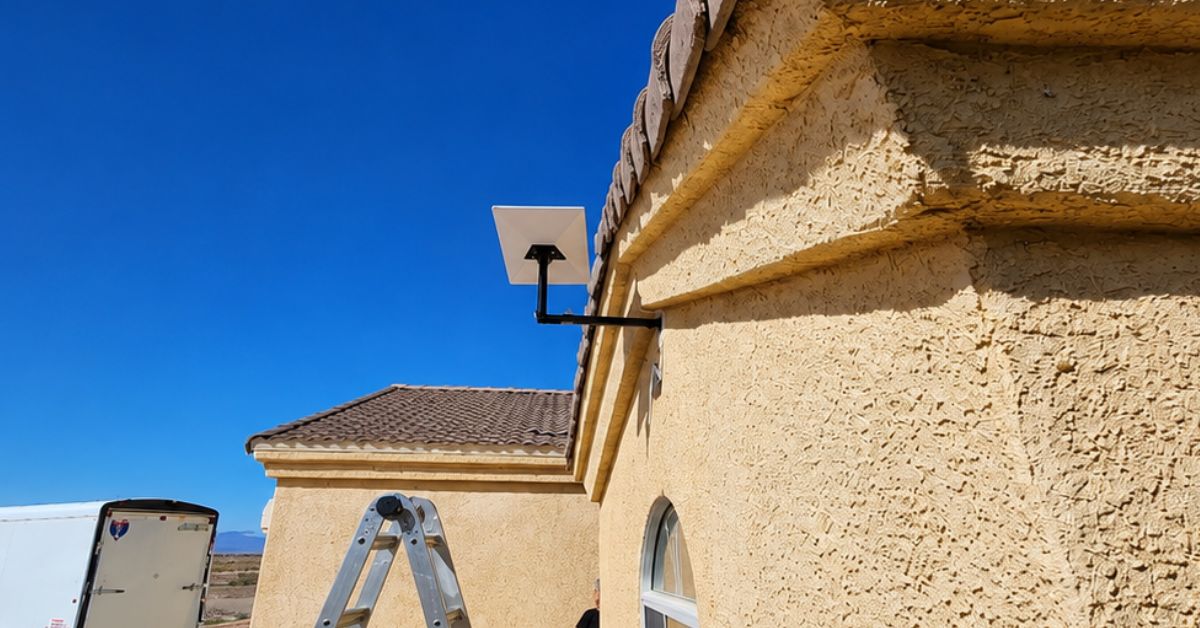
ProSat Networks 1-844-799-0258 is a professional Starlink installer and IT network services provider serving Kingman and communities throughout Arizona. We specialize in Starlink installation, Wi-Fi network design, structured data cabling, network infrastructure, security camera systems, and managed IT services for businesses, residential properties and maritime vessels. This article features a successfully completed Starlink installation in Kingman, AZ for a residential property.
👉 To book your installation or to request a quote, please call 1-844-799-0258 or use our Contact Us form.
.jpg)
🔹Location: Kingman, AZ
🔹Property Type: Residential
🔹Property Size: 1,800 sqft, single story home
🔹Roof Type: Clay Tile
🔹Equipment: Starlink Standard Kit (Gen 3)
🔹Mount: Extendable wall mount
🔹With HOA restriction
Our certified network engineers received a service request for Starlink and wireless network installation in Kingman, AZ. A professional service is provided by conducting the following processes:
An initial offsite assessment was performed to collect the site conditions and customer requirements for the installation. It includes the assessment of the property structure, roof type, installation points, suitable mounting hardware, cable routing paths and entry point, nearby obstructions and other technical aspect of the installation.
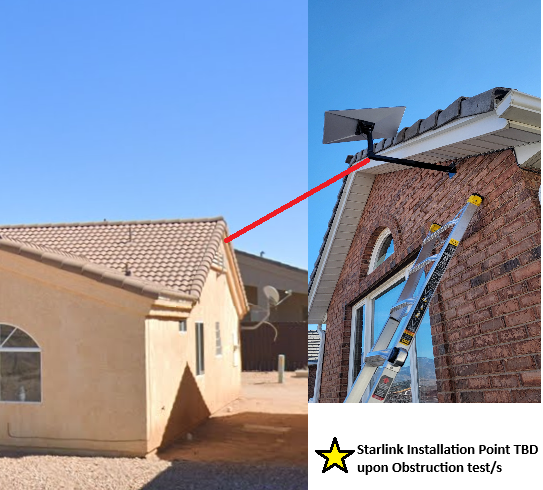
After the assessment, an installation plan is developed and sent to the customer for review and approval. Once approved and the equipment are confirmed onsite, our team coordinated the installation schedule with our Starlink installers in Kingman, AZ.
Our Starlink installation team in Kingman, AZ arrived on-site to perform the following scope of work:
🔹Mount the Starlink Standard Dish using pivot mount
🔹Route the cable cleanly to the structured media center box
🔹Install and terminate three internal network cable drops: (1 at 50 ft, 2 at 30 ft each)
🔹Use cable tester to verify connectivity on all runs
🔹Labeled both ends of each cable for easy identification
🔹Ensured all terminations were secure and professionally finished
🔹Activate & configure the Starlink Gen3 WiFi mesh router
🔹Guide the customer on how to use the Starlink App.
🔹Test and document the installations with photos.
To start the installation process, a Starlink obstructions test is conducted using the Starlink App. This step is to verify if the preferred installation point with a “Good Experience” rating.
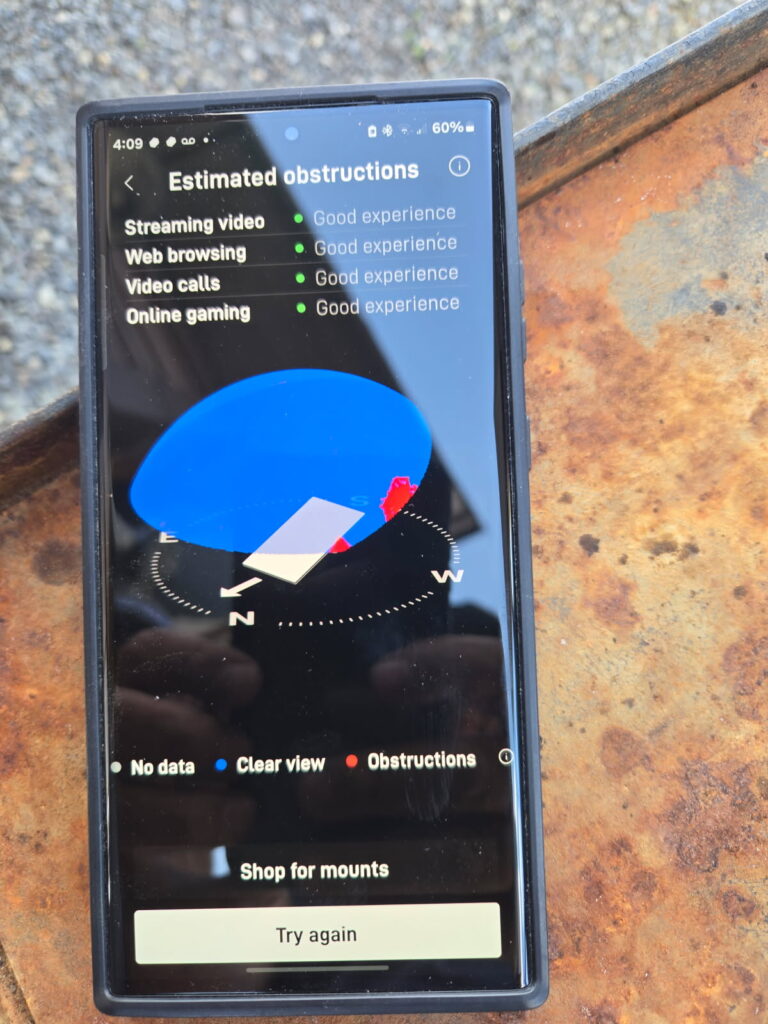
Our team securely mounted the Starlink Standard dish using a Standard pivot mount for maximum stability and signal reception.
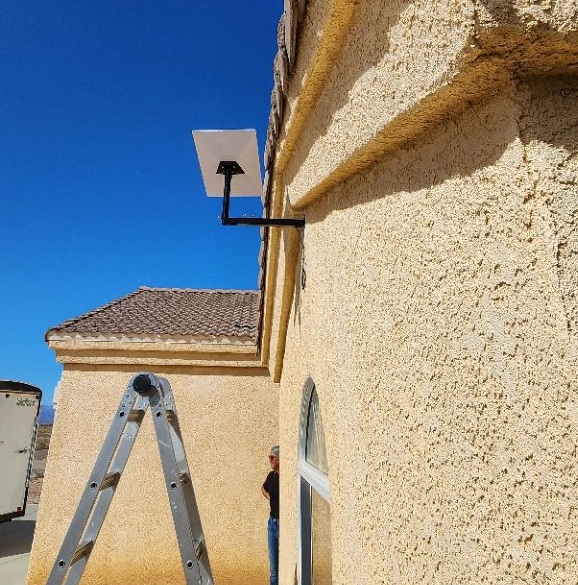
To ensure a clean and weather-resistant setup, we utilized a cable routing kit that provided secure sealing and organized cable management. The Starlink cable is routed from dish to the indoor location of the Gen 3 router. Connected the cable to router and powered on.Using the Starlink App, we activated the Gen3 Wi-Fi Mesh Router by linking it to the newly installed Starlink dish and verifying satellite connectivity.
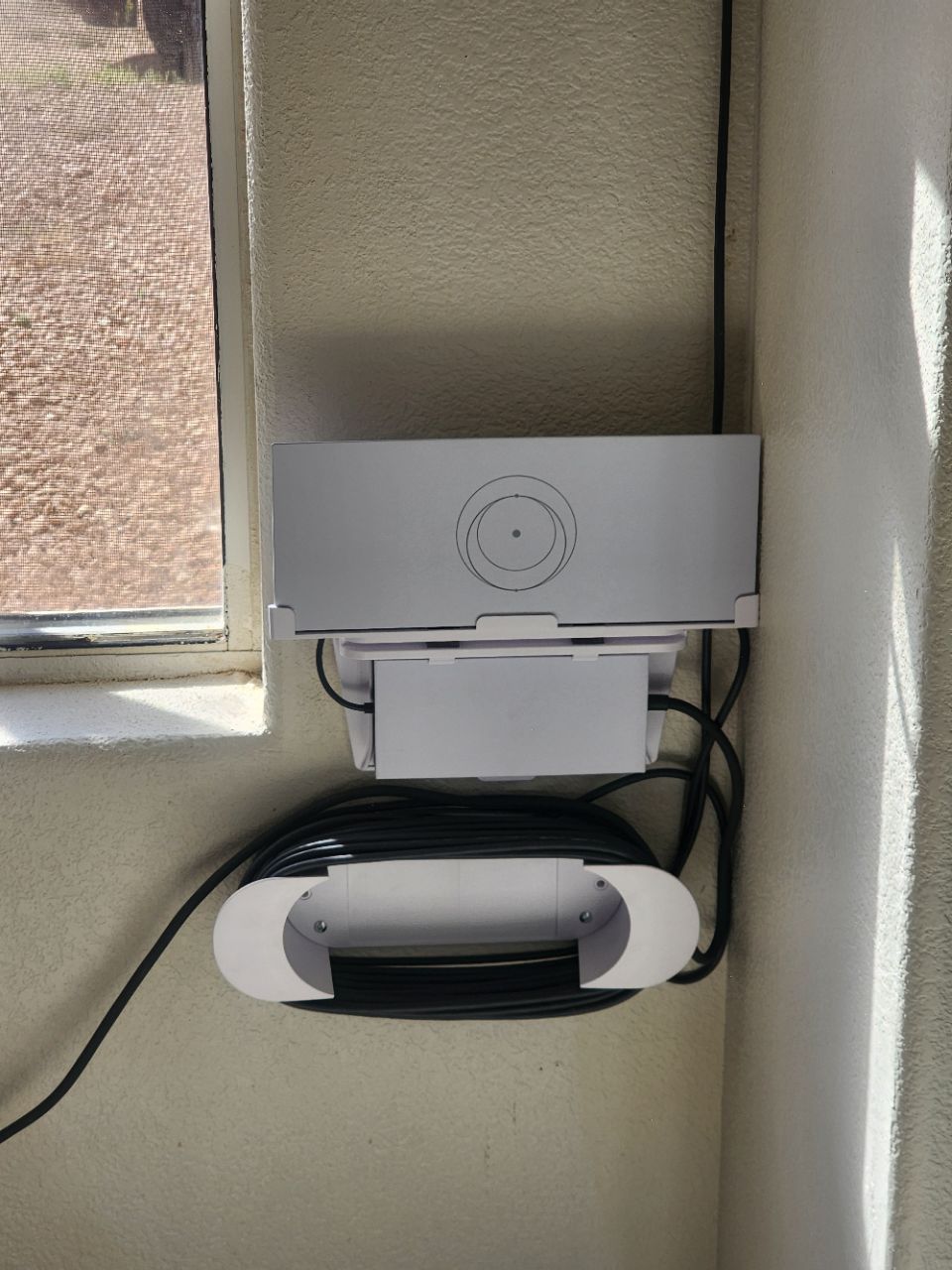
Once the system was online, we proceeded to customize the router settings by configuring the customer’s preferred network name (SSID) and a secure password.
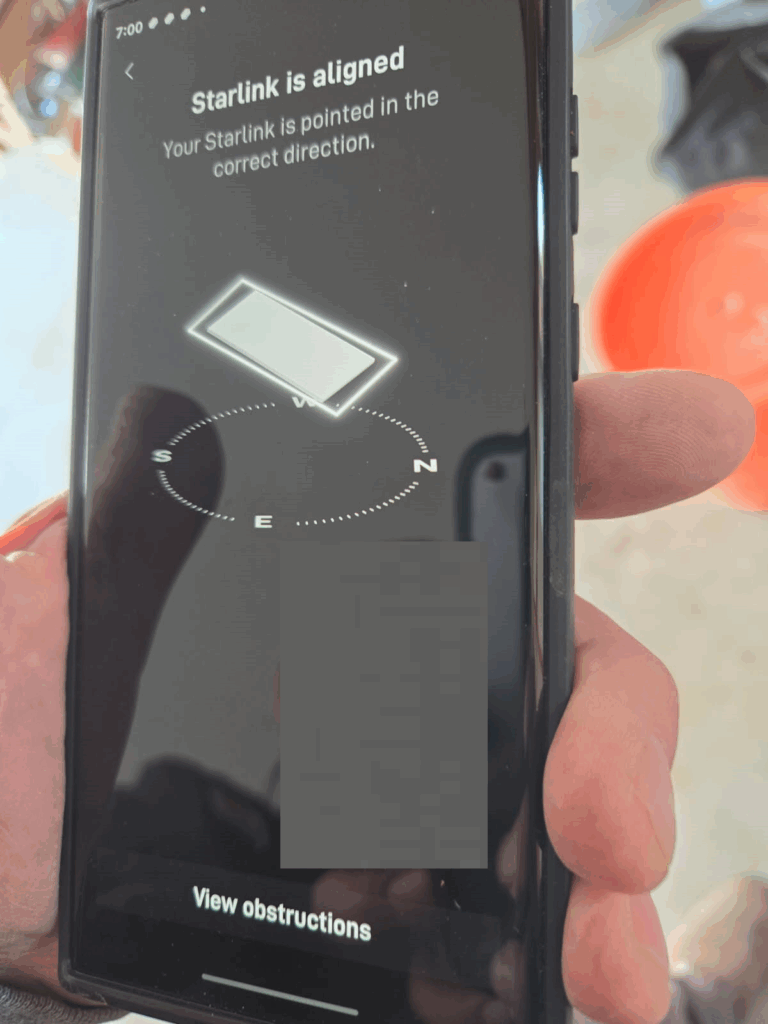
After installation, a Starlink dish alignment test was performed for precise positioning of the dish to the satellite network.
Then, the Starlink speed test was conducted to test the internet performance.
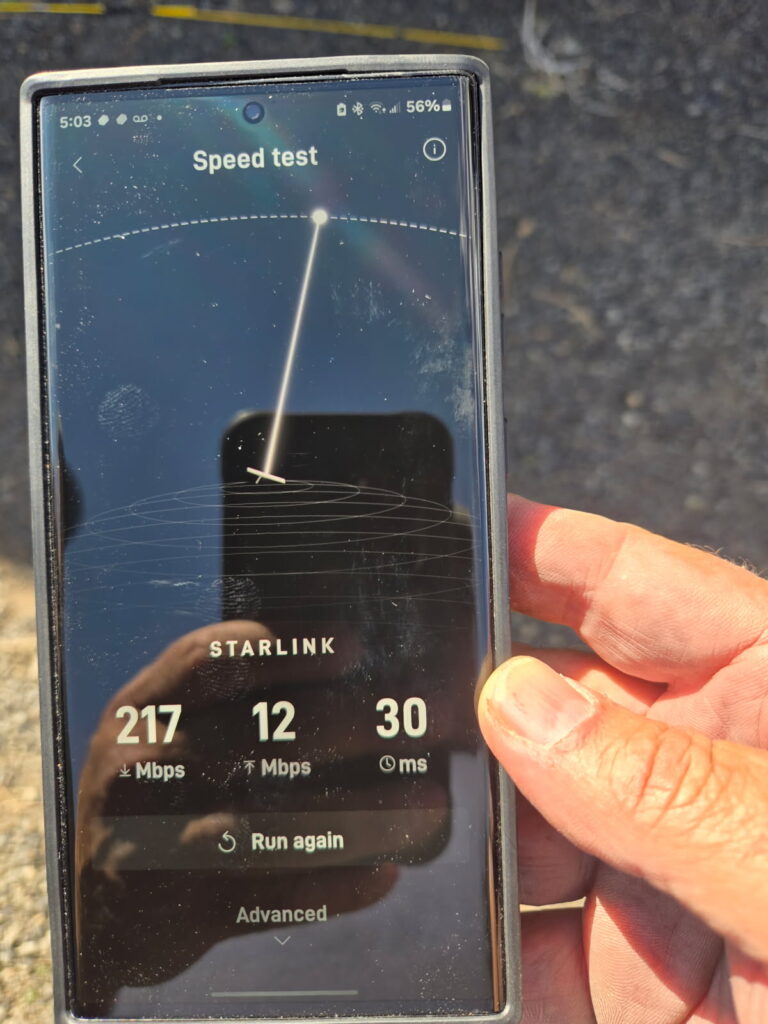
Speed Test Analysis
🔹Download Speed: 217 Mbps – Excellent for streaming 4K video, video conferencing, gaming, large file downloads and remote work on multiple devices.
🔹Upload Speed: 12 Mbps – Good for video calls, cloud backups, social media uploads, and general productivity tasks.
🔹Latency (Ping): 30 ms– Great for most real-time applications like video conferencing and online gaming.
It’s important to note that Starlink can take up to 12 hours to optimize for a high-speed and reliable internet connection.
👉 Contact us at 1-844-799-0258 to request a quote.
DID YOU KNOW?
Kingman, Arizona is a notable area for its role as the “Heart of Route 66,” featuring the longest remaining original stretch of the iconic highway. It’s known for its Route 66 nostalgia, historic district, museums, and proximity to the Grand Canyon and other attractions.
Thank you for reading our Starlink installation articles.