Military Veteran Discount: $50 OFF


Military Veteran Discount: $50 OFF
ProSat Networks 1-844-799-0258 is a professional Starlink installer and IT network services provider serving Johnstown and communities throughout Colorado. We specialize in Starlink installation, Wi-Fi network design, structured data cabling, network infrastructure, security camera systems, and managed IT services for businesses, residential properties and maritime vessels. This article features a successfully completed Starlink installation in Johnstown, CO for a residential property.
👉 To book your Starlink installation, call us at 1-844-799-0258 or request a quote through our Contact Us form.
.jpg)
🔹Location: Johnstown, CO
🔹Property Type: Residential home
🔹Property Size: 1,800 sqft, two-story home
🔹Roof Type: Metal
🔹Starlink Kit: Standard Kit
🔹Mount: Wall mount
Our certified network engineers received a service request for Starlink and wireless network installation in Johnstown, CO. To process the service request, the following steps were carried out:
An initial offsite assessment was conducted to analyze the site conditions and structure of the property through satellite imagery and requested onsite photos. This is essential to determine the customer requirements for the installation, verify any obstructions on the area, mounting options, cable routing and needed materials, equipment and tools for hassle-free onsite installation.
With those gathered information, an installation plan was developed and sent over to the customer for approval. Once approved, the customer was assisted in ordering the Starlink equipment. If theequipment arrived onsite, the installation schedule is coordinated with our Starlink installers in Johnstown, CO.
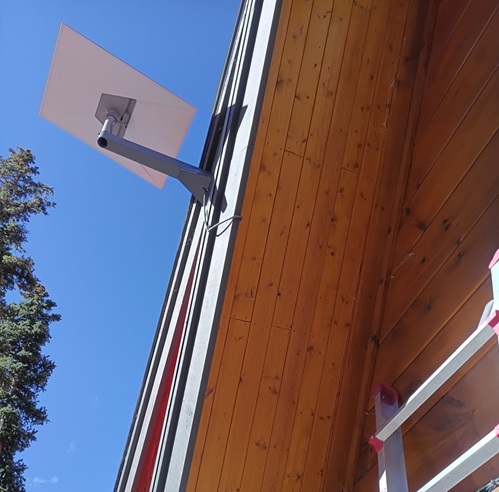
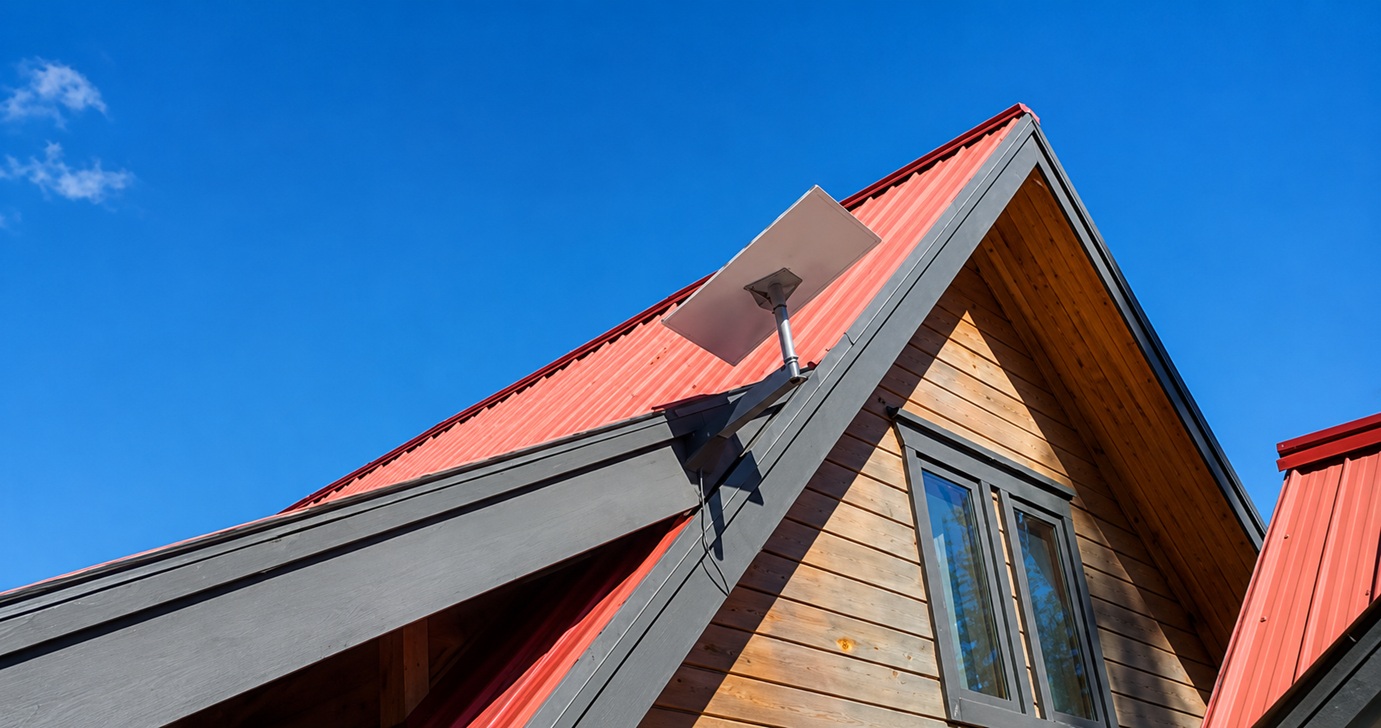
Our professional Starlink installers arrived onsite and performed the Starlink obstruction test to verify that the selected installation point for the dish has a "Great" rating. Then the Starlink Standard dish was securely installed on the fascia using a wall mount. This elevated location provides a clear view of the sky.
The Starlink cable was then routed from the dish to the indoor location of the Gen3 WiFi Mesh Router. Once inside the premises, the cable was securely connected to the router, and the router was powered on. The Gen3 WiFi Mesh Router was subsequently activated and configured through the Starlink app to establish a stable internet connection and create the property's Starlink wireless network.
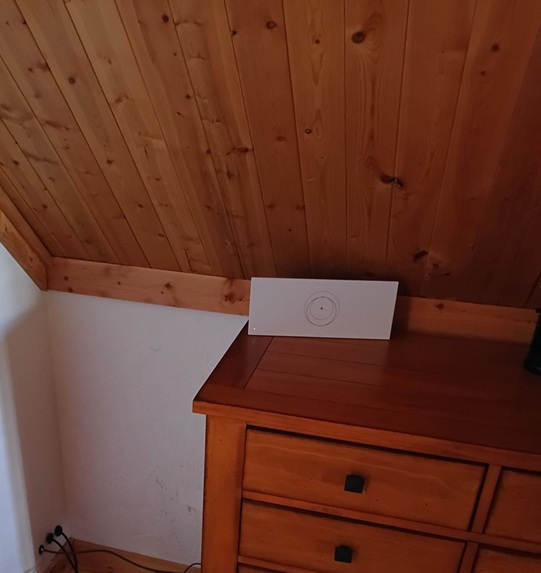
To secure the wireless environment, a custom SSID and password were set. After completing the setup, the customer was given a walkthrough on how to use the Starlink app for basic management of the Starlink network, checking connectivity status and managing device settings.
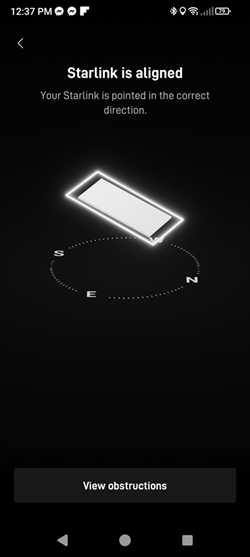
After completing the equipment installation, our team conducted an alignment test to verify that the dish was precisely oriented toward the satellite network. Proper alignment is essential to ensure reliable and uninterrupted connectivity.
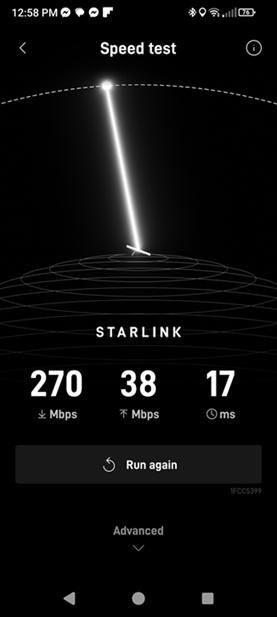
Next, the team conducted a Starlink speed test using the Starlink app. As shown in the image, the test measured key metrics including download speed (270 Mbps), upload speed (38 Mbps) and latency (17 ms). This initial speed test confirms optimal dish installation and good internet performance.
It is important to note that Starlink may require up to 12 hours to fully optimize its connection. During this initial period, temporary speed fluctuations or brief dropouts may occur. However, once the system stabilizes, it delivers a reliable and high-speed internet connection
👉 Call ProSat Networks at 1-844-799-0258 for your free consultation or request a quote.
DID YOU KNOW?
Johnstown is one of the fastest-growing communities along Northern Colorado's Front Range, strategically located between Fort Collins and Denver with easy access to Interstate 25. The town has transformed from a small agricultural community into a thriving residential and commercial hub while maintaining its small-town charm and strong sense of community.
Thank you for reading our Starlink installation articles.