Military Veteran Discount: $50 OFF


Military Veteran Discount: $50 OFF
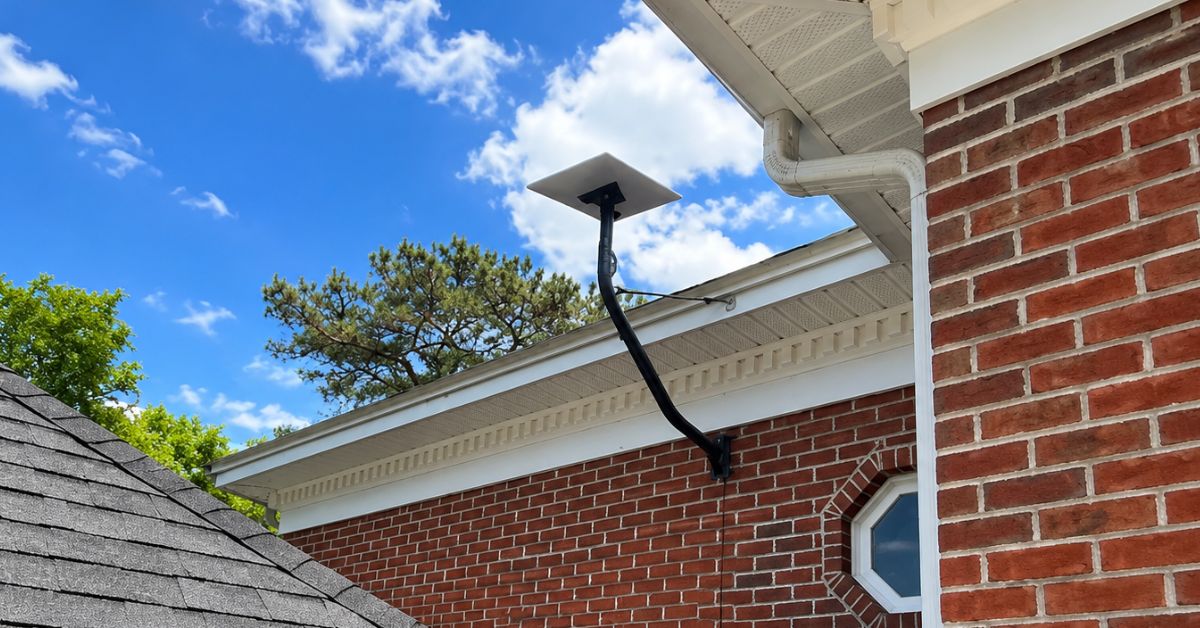
ProSat Networks 1-844-799-0258 is a professional Starlink installer and IT network services provider serving Gainesville and communities throughout Florida. We specialize in Starlink installation, Wi-Fi network design, structured data cabling, network infrastructure, security camera systems, and managed IT services for businesses, residential properties and maritime vessels. This article features a successfully completed Starlink installation in Gainesville, FL for a residential property.
👉 To book your installation or to request a quote, please call 1-844-799-0258 or use our Contact Us form.

🔹Location: Gainesville, FL
🔹Property Type: Residential property
🔹Property Size: 4500 sqft./ two-story home
🔹Roof Type: Shingles
🔹Starlink Kit: Standard kit
🔹Mount Option: Undereave mount
Our certified network engineers received a service request for Starlink and wireless network installation in Gainesville, FL. A professional service is provided by conducting the following processes:
An initial offsite assessment was performed to collect the site conditions and customer requirements for the installation. It includes the assessment of the property structure, roof type, installation points, suitable mounting hardware, cable routing paths and entry point, nearby obstructions and other technical aspect of the installation.
After the assessment, an installation plan is developed and sent to the customer for review and approval. Once approved and the equipment are confirmed onsite, our team coordinated the installation schedule with our Starlink installers in Gainesville, FL.
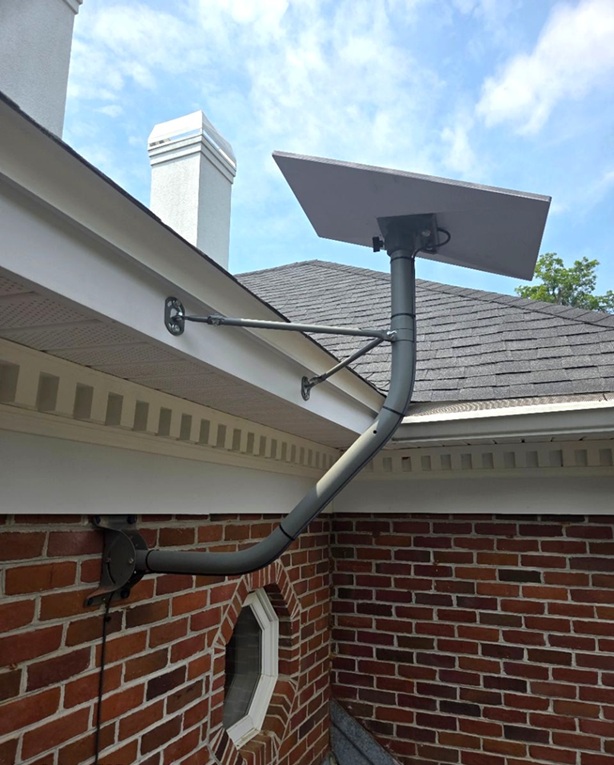
Our professional Starlink installers arrived onsite and identify the optimal location for Starlink dish installation through Starlink Obstructions test. The Starlink dish is installed using undereave mount that is securely fastened to the exterior wall. The extension arm positions the dish with a clearer view of the sky.
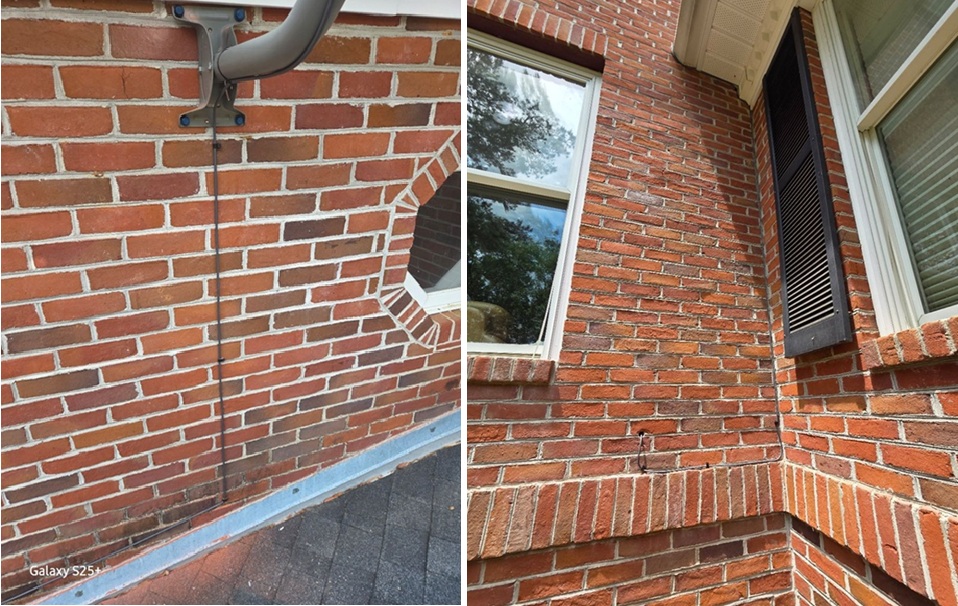
The Starlink cable was securely routed from the dish into the home, terminating at the designated location of the Gen 3 router in the living room.
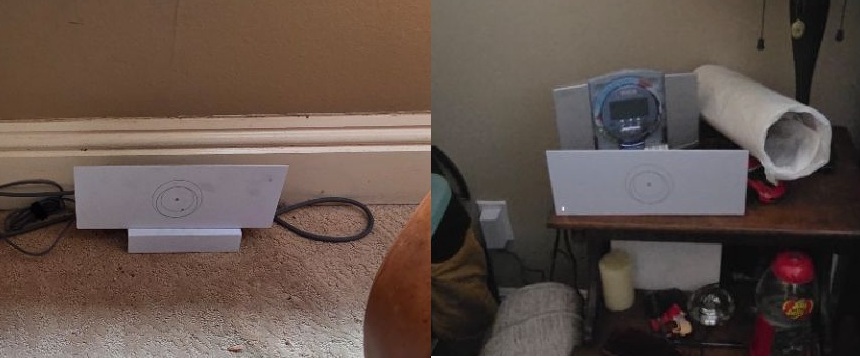
The Starlink cable and power adapter were connected to the Gen 3 router, which was then powered on to begin initialization. Once online, the system was activated and configured, including the setup of the Wi-Fi network settings. An additional Gen 3 router was installed in the office to extend wireless coverage and provide reliable connectivity throughout the entire house.
The customer provided a walkthrough on how to use the Starlink App.
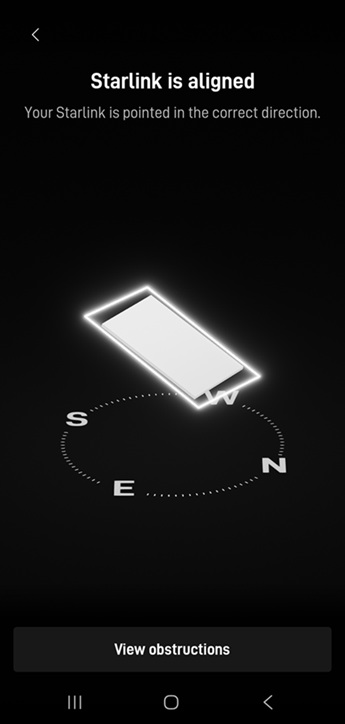
Following the installation of the Starlink equipment, a Starlink Alignment Test is performed to verify the precise positioning of the dish to the Starlink satellite network. This test confirms that the dish is properly aligned and has a clear line of sight to maintain reliable connectivity and optimal network performance.
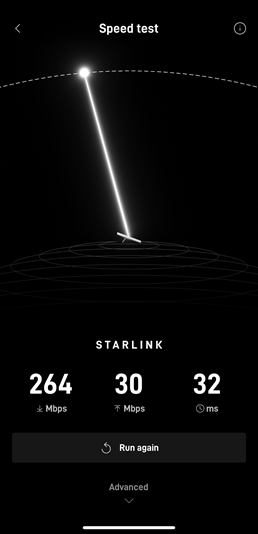
To check the the internet performance, the Starlink speed test were performed to measure the download speed, upload speed and latency.
It’s important to note that Starlink may require up to 12 hours to fully optimize its connection. During this initial period, temporary speed fluctuations or brief dropouts may occur. However, once the system stabilizes, it delivers a reliable and high-speed internet connection.
👉 Contact us at 1-844-799-0258 to request a quote.
DID YOU KNOW?
Thank you for reading our Starlink installation articles.