Military Veteran Discount: $50 OFF


Military Veteran Discount: $50 OFF
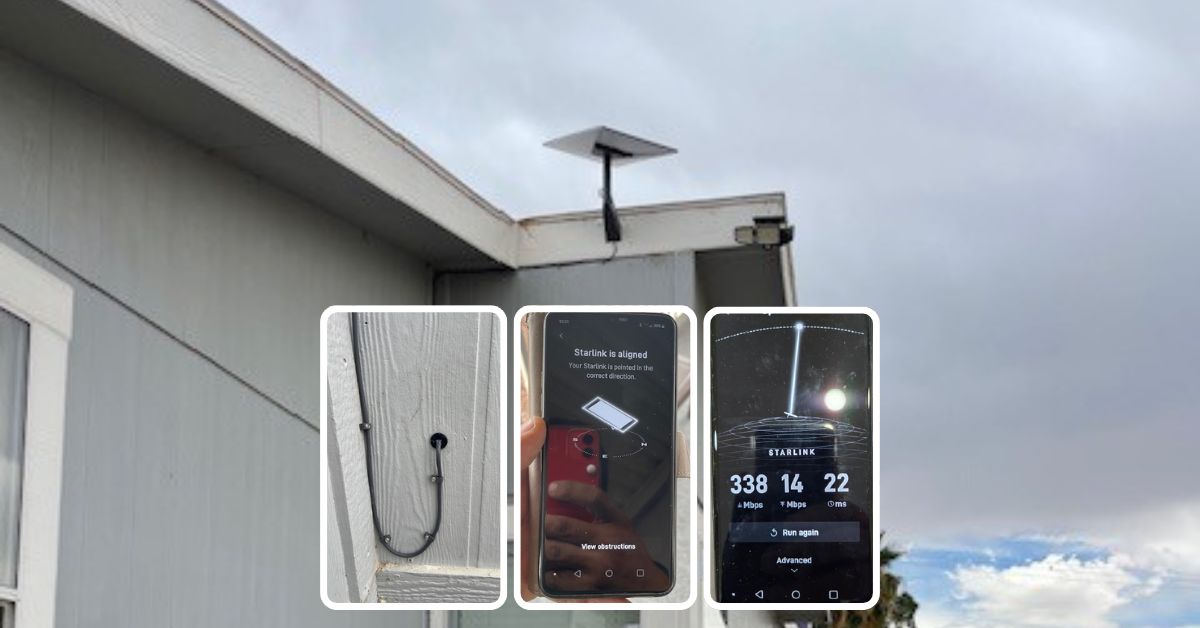
Featuring a successfully completed Starlink installation in Ehrenberg, Arizona, for a residential home by ProSat Networks. ProSat Networks 1-844-799-0258 offers professional Starlink installation and wireless network solutions for commercial businesses, residential homes, RV parks, campgrounds, construction sites, marinas, farm, airplane hangars and mining facilities throughout Arizona.
For booking of installation or to request a quote, call us at 1-844-799-0258.
🔹Property Size: 650 sqft, single-family home
🔹Floors: One-story house with a basement
🔹Roof Type: Low-slope roof
🔹Starlink Equipment: Starlink Standard Kit
🔹Mount: Standard Wall Mount
Our certified network engineers received a service request for Starlink installation in Ehrenberg, AZ. Our team provided the professional assistance by conducting the following:
1. Pre-Installation Assessment and Planning
An initial offsite assessment is performed to ascertain the property’s feasibility for Starlink installation. This process includes analyzing satellite imagery and collecting onsite photos to determine the structure of the property, nearby obstructions, installation points, mounting device to be used and cable routing path. This assessment enabled the team to determine the required materials, equipment, suitable mounting options and manpower needed for an efficient Starlink installation.
After the initial offsite assessment, an installation plan is developed for customer's approval. Once approved and the equipment is delivered onsite, the installatrion schedule is coordinated with our professional Starlink installers in Ehrenberg AZ.
Our Starlink installation team arrived onsite to perform the following scope of work:
🔹Install the Starlink Standard kit using the Standard wall mount.
🔹Route the cable from the Starlink dish to the indoor Gen 3 Wi-Fi mesh router.
🔹Activate & configure the Starlink Gen3 WiFi mesh router.
🔹Guide the customer on how to use the Starlink App.
🔹Test and document the installations with photos.
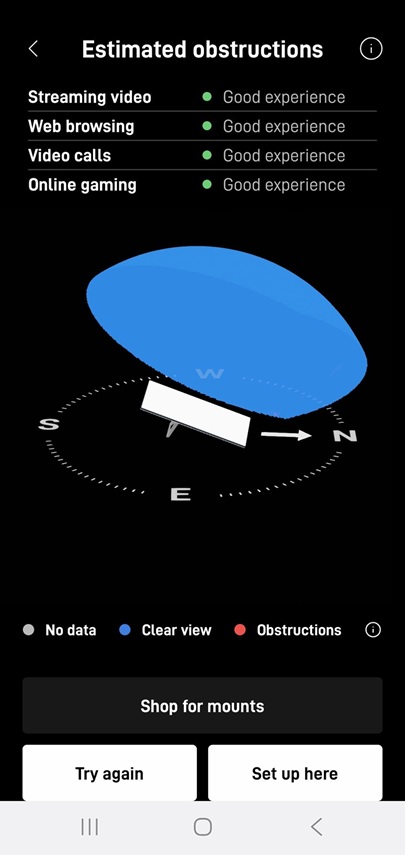
To kick off the installation, a Starlink obstructions test using the Starlink App. This crucial step helped determine the optimal placement for the dish, ensuring a strong and reliable connection to the Starlink satellite network. The test yielded a “Good Experience” rating, confirming that the selected location was well-suited for smooth streaming, browsing, video calls and gaming.
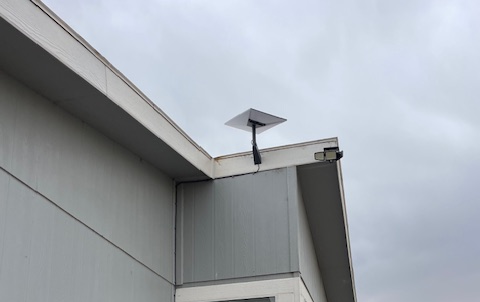
The Starlink Standard dish was securely mounted near the roofline using a standard wall mount to provide a stable installation with a clear line of sight to the sky for optimal signal performance. The mounting hardware was properly fastened to withstand outdoor weather conditions and support reliable long-term connectivity.
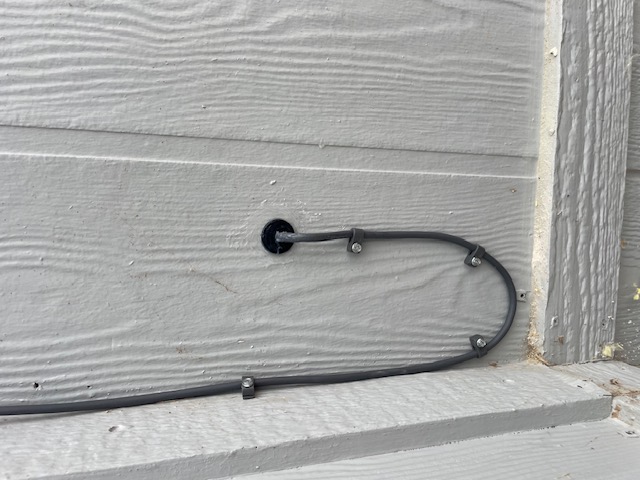
We used a cable routing kit to ensure a clean, weather-resistant installation, providing proper sealing and cable management. The proprietary Starlink cable was neatly routed from the outdoor dish to the indoor Gen3 Wi-Fi mesh router, positioned in a customer-approved location to optimize WiFi coverage and signal strength throughout the home.
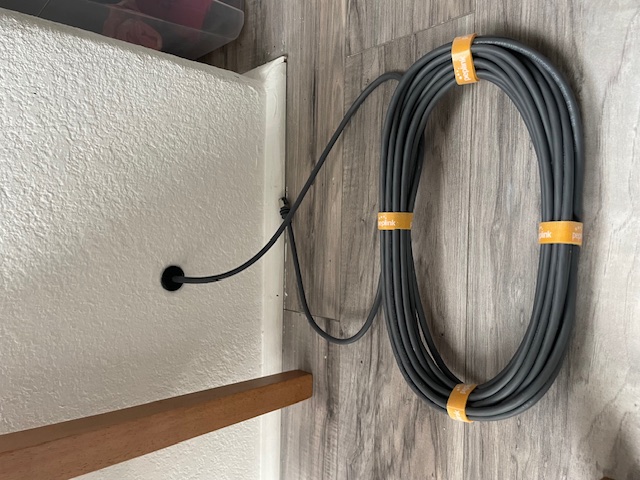
Using the Starlink App, we customized the Gen 3 WiFi Mesh Router by setting up the customer’s preferred network name (SSID) and password, ensuring a seamless connection. Finally, we provided the customer with a walkthrough of the Starlink App’s key features, including:
🔹Access and manage their SSID
🔹Reset their password
🔹Run speed tests
🔹Refresh or reset the Starlink network
🔹Troubleshoot common connectivity issues
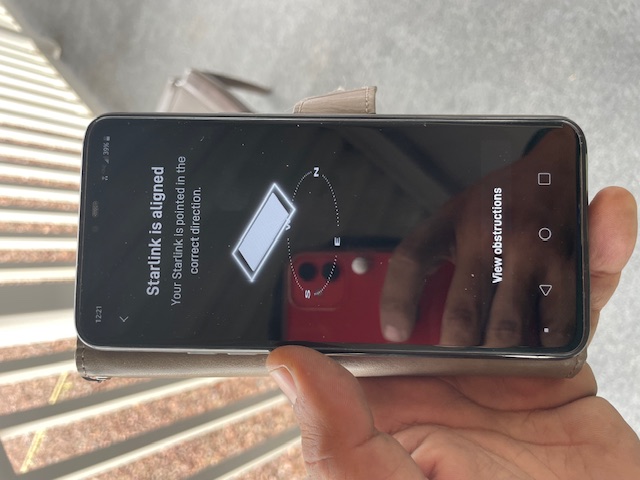
After the installation, our team performed a Starlink alignment test to ensure the dish was in the best possible position for continuous satellite connectivity. The process involved carefully assessing the dish’s position, considering the elevation angle, azimuth direction, and potential obstructions (such as trees, buildings, or other structures).
Then, the Starlink Speed Test was conducted multiple time to test the system’s internet performance.The Starlink Speed test results show the progressive development of internet performance using Starlink, based on three speed tests conducted at different intervals.
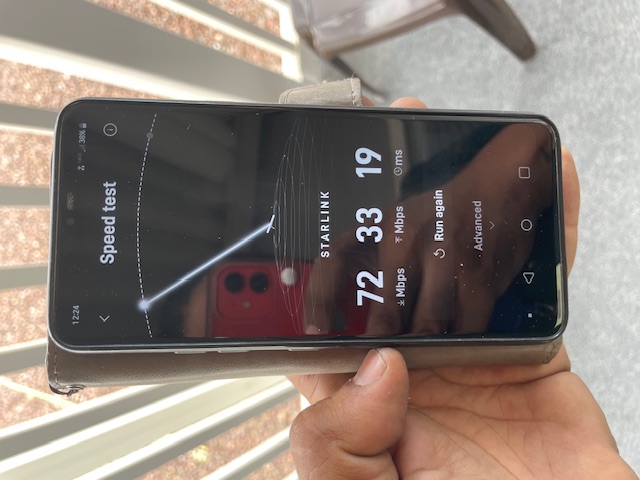
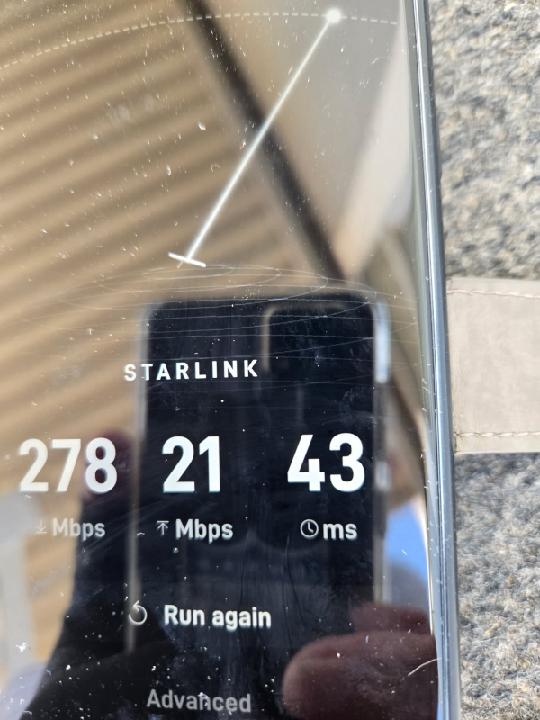
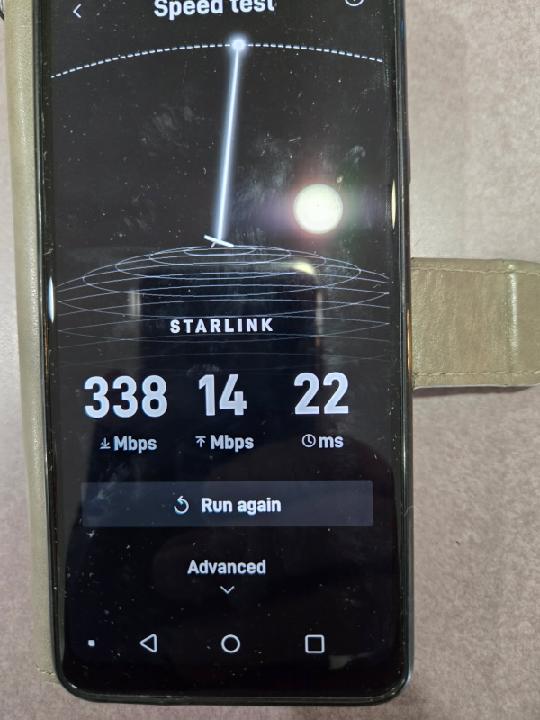
Metrics analyzed include download speed, upload speed, and latency. It’s important to note that Starlink can take up to 12 hours to synchronize with the satellite network fully.

🔹Download Speed– Significant and steady improvement from 72 Mbps to 338 Mbps, indicating improved throughput and optimized network conditions.
🔹Upload Speed -Decreased over time from 33 Mbps to 14 Mbps. This trend may affect performance for tasks that require high upload bandwidth, such as video uploads or cloud backups.
🔹Latency – Initially low (19 ms), peaked at 43 ms in Speed Test 2, then stabilized at 22 ms. Latency remains within acceptable ranges for video conferencing and online gaming.
Call us at 1-844-799-0258 for booking of installation or request a quote.
Thank you for reading our Starlink installation articles.