Military Veteran Discount: $50 OFF


Military Veteran Discount: $50 OFF
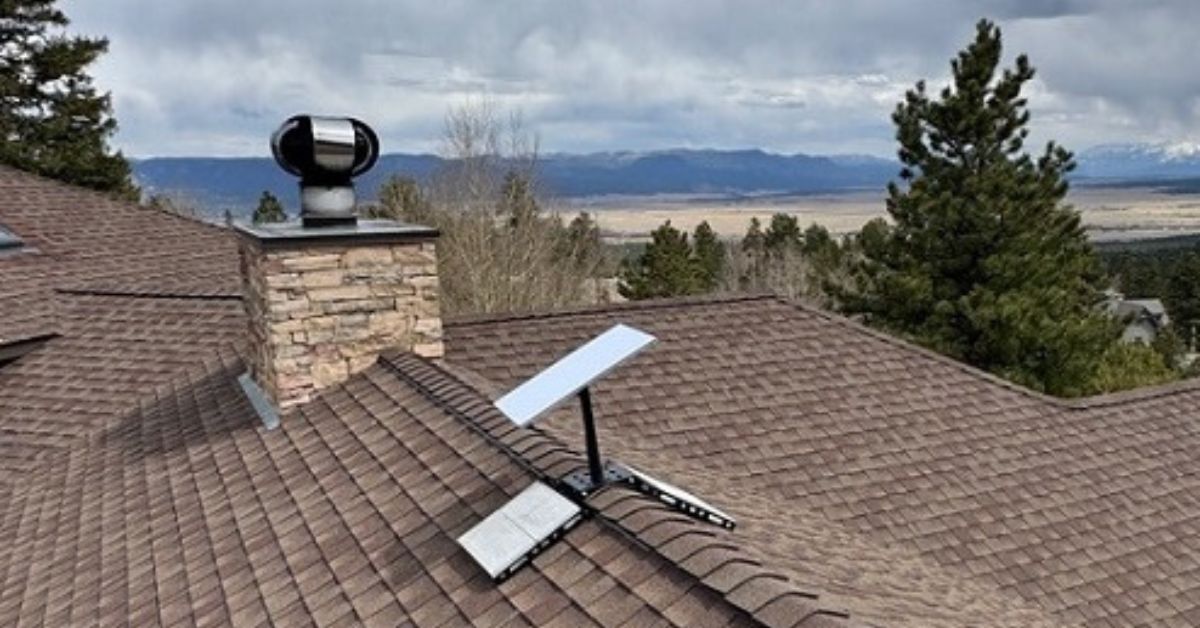
Our Starlink installers has successfully completed a Starlink installation in Buena Vista, CO, for a family preparing to move into their spacious 4,000-square foot new home. ProSat Networks 1-844-799-0258 offers professional Starlink installation and wireless network solutions for commercial businesses, residential homes, RV parks, campgrounds, construction sites, marinas, farm, airplane hangars and mining facilities in Colorado.
To book your Starlink installation or request a quote, please call us at 1-844-799-0258 or fill out our contact us form.
🔹Property type: Approximately 4000 sqft, two-story single-family home
🔹Roof Type: Asphalt Shingle roof
🔹Starlink Equipment: Starlink Standard Kit
🔹Mount: Ridgeline and Pipe Adapter mount
🔹Additonal Equipment/Materials:
🔹1 Gen3 WiFi Mesh Router for entire home coverage
🔹45M Starlink Standard Cable
🔹Cable Routing Kit
Our certified network engineers recently received a service request for a residential Starlink installation in Buena Vista CO. As part of our standard installation process, our team performed the following:
An initial offsite assessment was conducted to gather customer requirements and evaluate the technical feasibility of the location for Starlink installation.This assessment involves an analysis of satellite imagery of the property and reviewing onsite photos provided by the client. This determines the structure of the property, roof type, installation points, mounting device to be used, cable routing path and nearby obstructions that may interfere with satellite signal.
After assessment, an installation plan was developed for customer approval. Once approved and the equipment and materials are available onsite, the installation schedule is coordinated with our professional Starlink installers in Buena Vista, CO.
Our Starlink installers arrived onsite to perform the following scope of work:
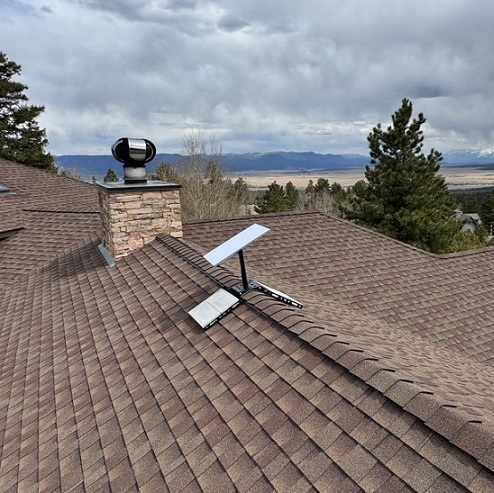
🔹Dish / Antenna Installation: Install the Starlink Standard dish using the ridgeline and pipe adapter mount
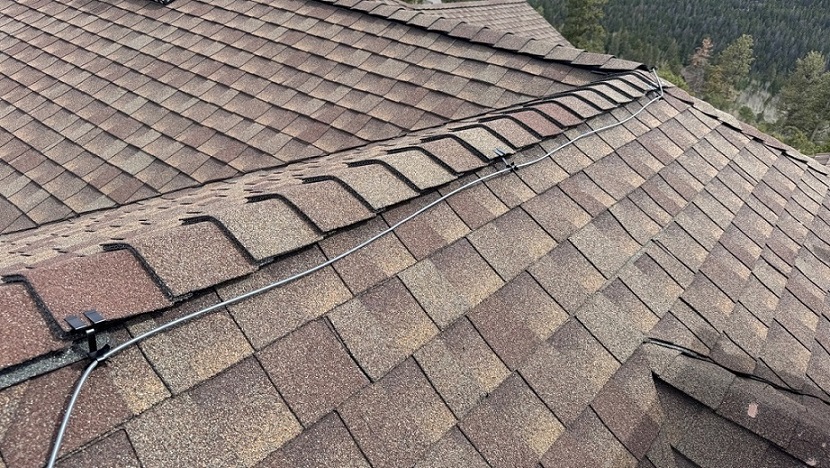
🔹Cable Routing: Run the Starlink cable from the dish to the indoor Gen3 routers.
🔹The cable pathway will depend on the finalized position of the main router and Starlink Dish.
🔹If the existing DTV Cable Dish pathway can be used, the technician will guide the pathway for the Starlink cable.
🔹If the current DTV pathway is not sufficient, the technician will recommend creating a new, dedicated cable path specifically for the Starlink cable.
🔹Router Setup: Activate and configure the two routers.
🔹Starlink App: Guide the customer on how to use the Starlink App account.
🔹Starlink Test: Test Starlink alignment and connectivity performance
🔹Installation Photos: Document the installations with photos and close-out notes.
The Starlink installation process began with a Starlink obstruction test using the Starlink app to determine the best location for satellite visibility. By scanning the sky from various points on the roof, our technicians identified the optimal mounting position. There was minimal interference from nearby tall pine trees and surrounding terrain.
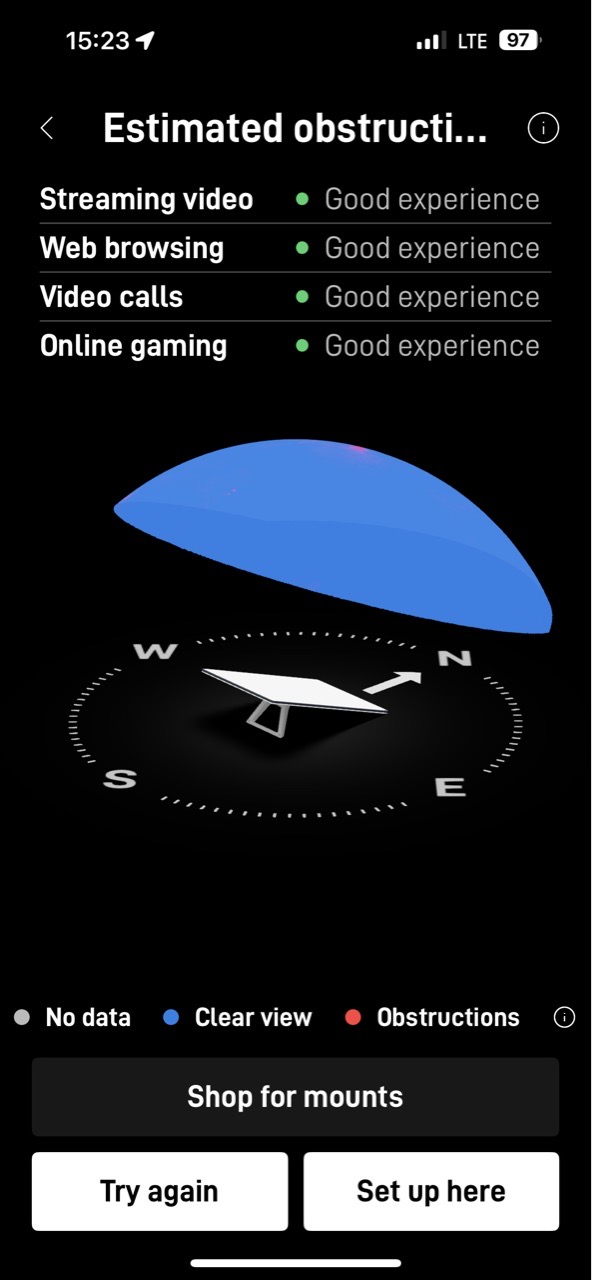
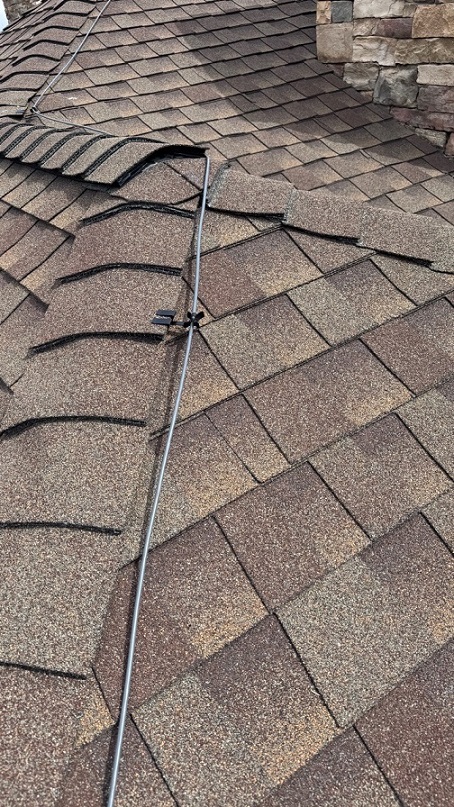
Once the clear line of sight was confirmed, the ridgeline mount with a pipe adapter was securely installed at the highest suitable point on the asphalt shingle roof. A 45-meter Starlink cable was routed from dishto the indoor location of the Gen3 router.
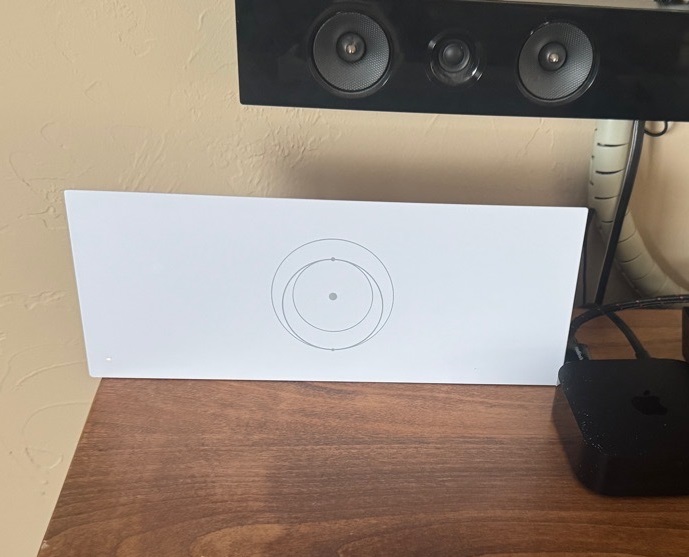
Then, the Starlink cable was connected to the router, connect it to the power supply and activated. Configured the SSID and password with the customer’s Starlink account.
In addition, the customer was given a walkthrough on the key features of the Starlink App. This included resetting their WiFi password, running speed tests, troubleshooting common connectivity issues and others.
A Starlink alignment test was performed to confirm that the dish had a clear, unobstructed view of the sky. This is an essential factor for ensuring a stable connection. Using the Starlink speed test, the connectivity performance can be determined. The speed test results from your Starlink connection are quite solid. This is particularly impressive for a residential setup in a mountainous or rural location.
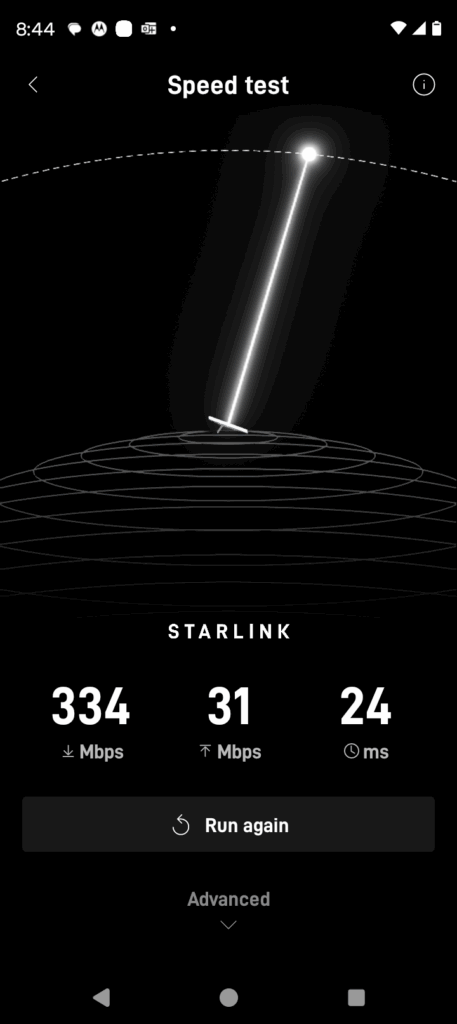
🔹Download speed (159 Mbps) is well above the average for Starlink’s residential users. It is ideal for high-bandwidth activities like 4K streaming, large file downloads, video conferencing, and multiple simultaneous users.
🔹Upload speed (16 Mbps) is sufficient for tasks like Zoom meetings, cloud backups, and online gaming.
🔹Latency of 17 ms is excellent for a satellite connection. It indicates low delay and good performance for real-time applications such as VoIP, gaming, and video conferencing.
It is important to note that Starlink may take up to 12 hours to optimize. It scans the sky and optimizes satellite connections during this time. Temporary speed fluctuations or brief dropouts can occur. However, once stabilized, it ensures a reliable high-speed connection.
Contact us at 1-844-799-0258, our team is ready to assist you.
ProSat Networks Service Areas near Buena Vista, Colorado
DID YOU KNOW?
Thank you for reading our Starlink installation articles.