Military Veteran Discount: $50 OFF


Military Veteran Discount: $50 OFF
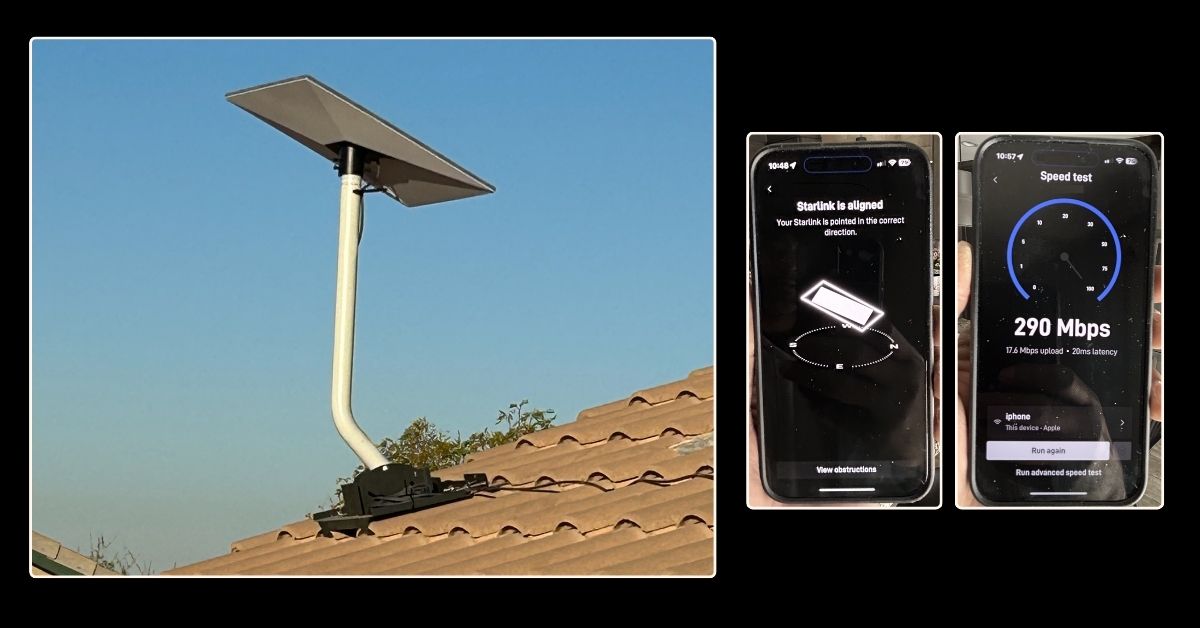
This article presents the successfully completed Starlink installation in Avondale, AZ by ProSat Networks 1-844-799-0258. Offering professional Starlink installation and wireless network solutions for commercial businesses, residential homes, RV parks, campgrounds, construction sites, farm, airplane hangars, mining facilities and long-range, multi-building indoor and outdoor wireless networks in Avondale and throughout the Arizona.
To book your Professional Starlink installation, call us at 1-844-799-0258 or request a quote through our Contact Us form.
🔹Location: Avondale, AZ
🔹Property Type: Residential home
🔹Property Size: 2650 sqft, two-story home
🔹Roof Type: Tiled roof
🔹Starlink Kit: Standard kit
🔹Mount Solution: Need to remove WeLink box to the pole and use it with the pipe adapter mount to install the Starlink dish.
Our certified network engineers received a service request for Starlink installation in Avondale, AZ. Our team provided a professional service by carrying out the following tasks:
Our certified network engineers provided professional assistance by carrying out the initial offsite assessment. This is to identify the structure of the property, potential obstructions, mouting solution, potential installation point for the dish through satellite imagery and obtaining onsite photos. This assessment allowed us to determine the materials, equipments and manpower necessary to ensure smooth and hassle-free Starlink installation.
After the initial offsite assessment, our team sent an installation proposal to the customer for review and approval. Once approved and all materials and equipment are available onsite, the installation schedule is coordinated with our professional Starlink installers in Avondale, AZ.
Our Maricopa County, Arizona-based Starlink installers near Avondale, AZ arrived as scheduled to perform the following scope of work:
🔹Remove the existingWeLink box and install a Starlink standard kit using pipe adapter mount on the existing pole.
🔹Route the cable from Starlink dish to indoor Gen3 WiFi mesh router.
🔹Activate & set up the Starlink Gen3 WiFi mesh routers.
🔹Orient the customer on how to use the Starlink App.
🔹Test and document the installations with photos.
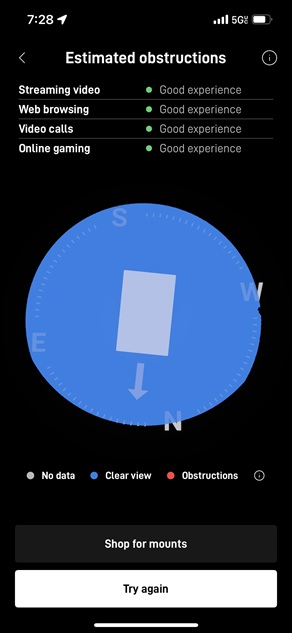
To begin the installation, our professional Starlink installer performed Starlink obstructions test to verify the optimal location for Starlink dish installation. Confirming that the chosen location has ”Good Experience” rating that supports smooth streaming, browsing, video calls and gaming as shown in the image below:
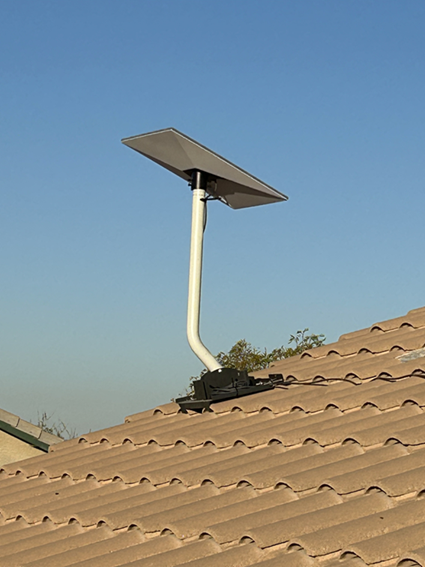
The Starlink standard dish was installed securely using a pipe adapter mount, which allowed it to be affixed to an existing pole. This method leverages the existing infrastructure, eliminating the need to install a new mounting system. This setup is particularly beneficial as it minimizes the need for additional drilling, reducing installation complexity while maintaining the aesthetic and structural integrity of the roof.The pipe adapter mount provides a stable and durable connection between the dish and the pole, ensuring that the dish remains firmly in place even under challenging weather conditions, such as strong winds or heavy rain.
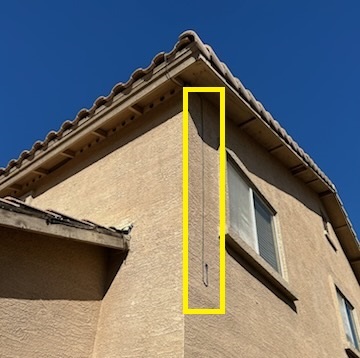
The Starlink cable is carefully routed from the outdoor dish to the indoor location of the Gen3 WiFi mesh router through a cable entry point created. The entry point was sealed with grommet and weatherproof sealant.
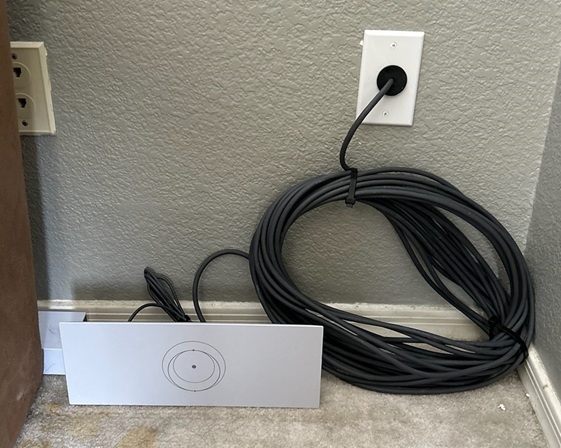
Next, the cable was plugged in to the Gen3 WiFi mesh router. Powered on, activated and configured the customer’s preferred network name called SSID and password. The customer was given a walkthrough of the Starlink app’s features, including accessing their SSID, resetting their password, performing speed tests, refreshing or resetting the Starlink network, and addressing other inquiries to ensure they could effectively manage their new system.
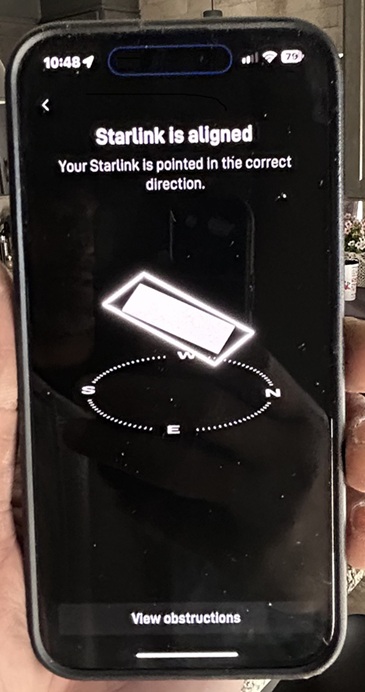
After the installation, our team performed a Starlink alignment test to confirm the dish was precisely positioned for optimal satellite connectivity. This process involved evaluating the dish’s alignment and placement to ensure an unobstructed view of the sky, maximizing signal strength and overall performance.
Finally, the team performed an advanced Starlink Speed Test after installation to evaluate the internet connection quality. It is important to note that Starlink may take up to 12 hours to synchronize fully for optimal performance.
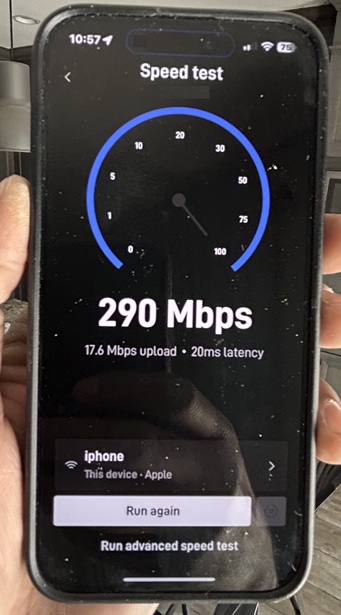
🔹Download Speed (290 Mbps) - Excellent for most online activities, including streaming in 4K, online gaming, and large file downloads. This is above average for most broadband services.
🔹Upload Speed (17.6 Mbps) - Suitable for standard activities like video conferencing, uploading documents, or cloud backups.
🔹Latency (20 ms) -Low latency, suitable for real-time applications such as online gaming and video calls. Starlink's low Earth orbit satellites aim to provide such latency levels, which is better than traditional satellite internet.
Overall, this is a strong performance for a Starlink connection and demonstrates its capability to provide reliable and fast internet, especially in areas where traditional broadband might not be available.
Call us at 1-844-799-0258 to schedule your Starlink dish installation or to address any service-related inquiries.
and more, just ask!
DID YOU KNOW?
Avondale, AZ is one of the fastest-growing cities in the Phoenix metropolitan area. It is best known as the home of Phoenix Raceway, a major NASCAR venue that brings national motorsports events to the region. Avondale also plays a key role in Arizona’s logistics and manufacturing sectors due to its proximity to Interstate 10, major rail lines, and expanding industrial parks, making it an attractive location for businesses and remote workers alike.
Thank you for reading our Starlink installation articles.