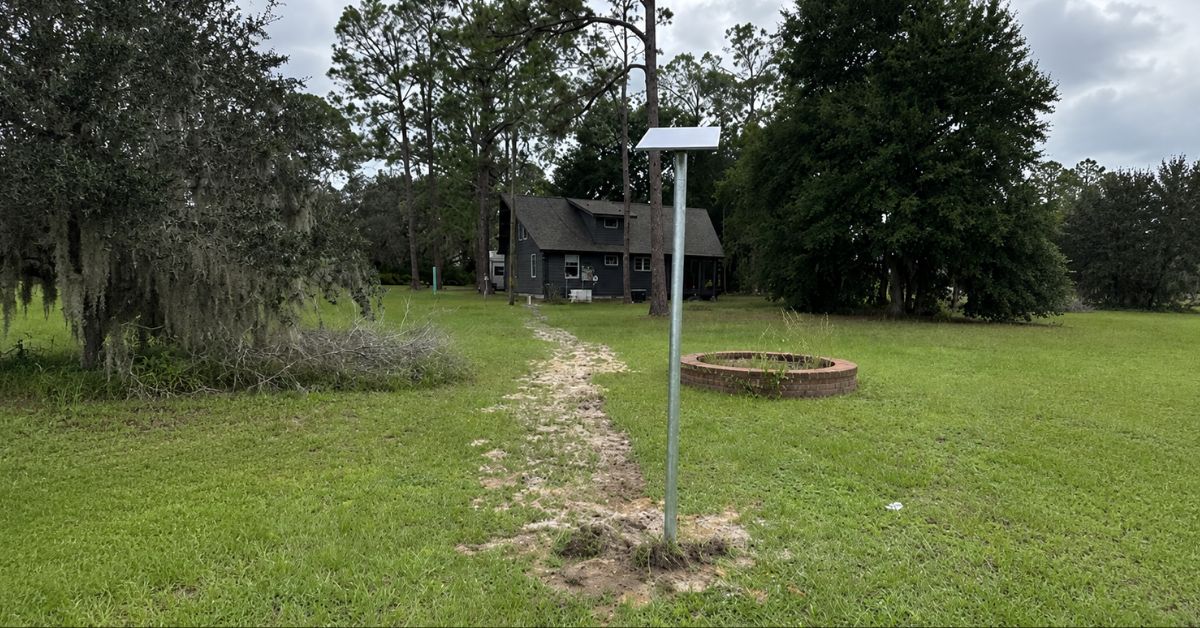
Starlink Installation in Palm Coast, FL
ProSat Networks 1-844-799-0258, is a professional Starlink installation and IT network services provider serving Palm Coast, FL and communities throughout Florida.We specialize in Starlink installation, WiFi and wireless network design, structured data cabling, network infrastructure deployment, security camera installation, and managed IT services. Our team serves commercial businesses, residential properties, RV parks, campgrounds, construction sites, mining operations, and maritime vessels. This article highlights a successful Starlink installation for a residential property in Palm Coast, Florida.
👉 For book your Starlink installation, call us at 1-844-799-0258 or request a quote through our Contact Us form.
Project Overview
🔹Location: Palm Coast, FL
🔹Property Type: Residential home
🔹Property Size: 1200 sqft, one-story home
🔹Roof Type: Asphalt shingles
🔹Starlink Kit: Standard Kit
🔹Recommended Mounting Solution: Pole mount
Our certified network engineers received a service request for Starlink and wireless network installation in Palm Coast, FL. To process the service request, the following steps were carried out:
1. Pre-Installation Assessment and Planning
An initial offsite assessment was carried out to analyze the property’s structural layout and environmental conditions using satellite imagery and submitted onsite photographs. This step was necessary for determining the optimal mounting solution, cable routing path, required tools and materials, and manpower needed for the on-the-day installation.
Following the assessment, the Starlink SMEs prepared an installation plan for customer's approval. Once approved, the procurement of materials began and coordination of the installation schedule with our certified Starlink installers in Palm Coast, FL.
2. Onsite Installation and Delivery
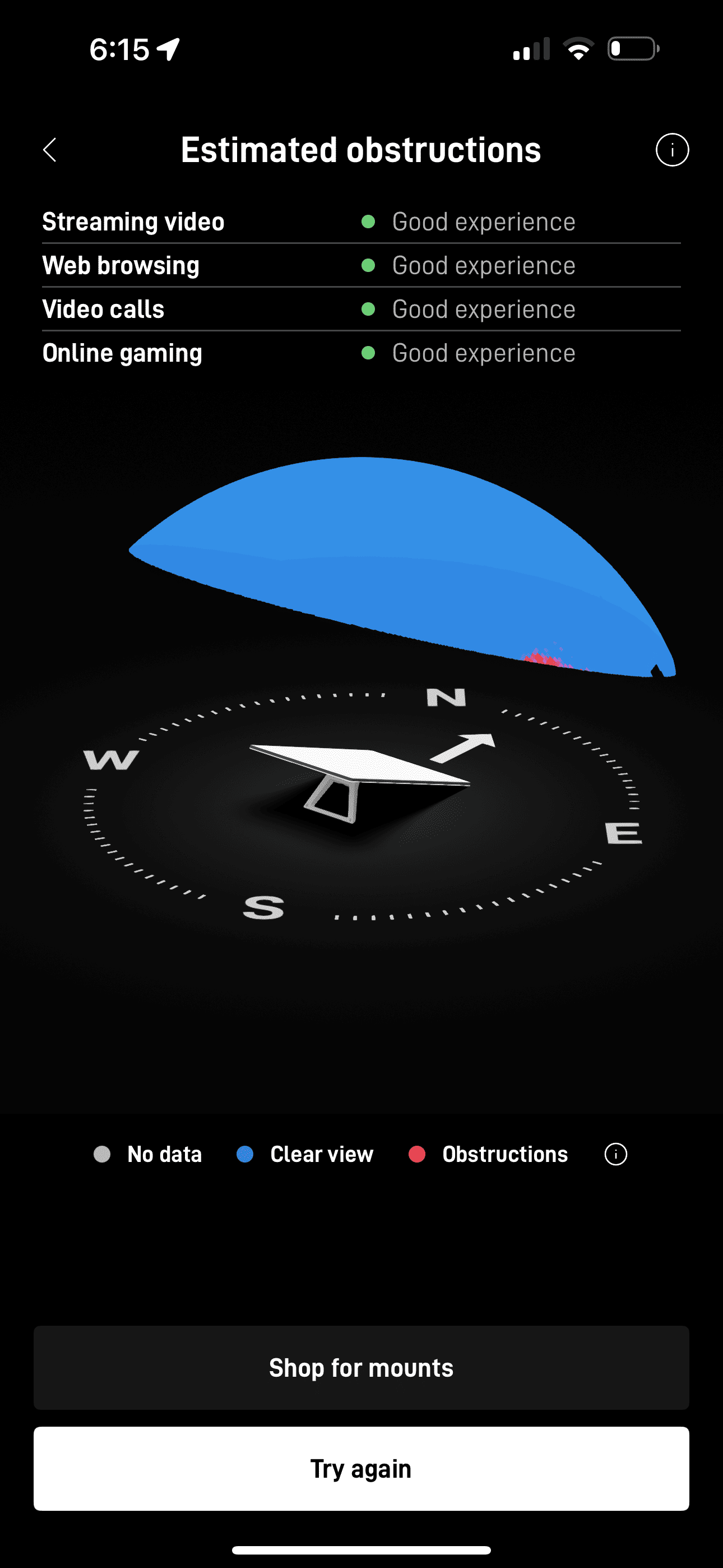
Our certified Starlink installers arrived onsite and performed Starlink obstruction test as shown in the image below. It is confirmed that the chosen installation location has "good experience" for streaming, web browsing, video calls and online gaming.
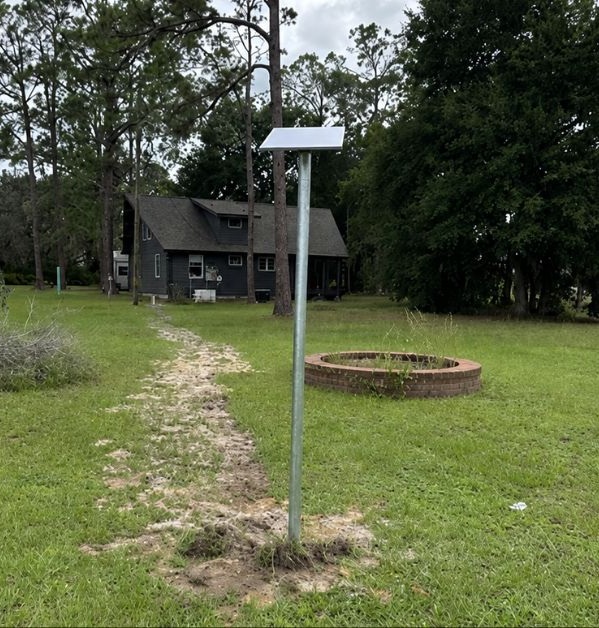
Then,our team securely mounted the Starlink dish using a galvanized steel pole mount that strategically positioned almost few meters away in the house due to surrounding trees (obstructions). The pole was firmly anchored into the ground with concrete footing for maximum stability and to withstand varying weather conditions. The Starlink dish was then attached to the top of the pole using pipe adapter mount, ensuring proper alignment and tilt angle for optimal satellite connectivity.
The Starlink cable was routed from the dish down the pole, securing it with UV-resistant cable clips. The cable was then buried underground along a protected trench path toward the building to prevent exposure to sunlight, moisture or accidental damage.At the wall entry point, the team created a drip loop, as shown, to prevent rainwater from following the cable into the interior connection. The cable entry was neatly drilled through the exterior wall, fitted with a weatherproof grommet to seal the penetration.
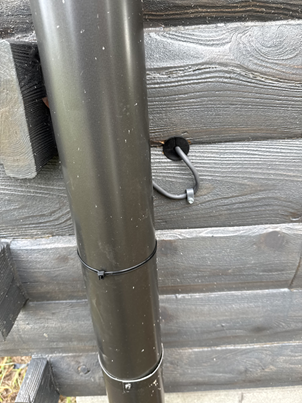
Inside, the cable was connected to the Starlink Gen 3 WiFi Mesh Router. Once powered on, the router was activated. They configured the router’s WiFi settings with the customer’s preferred SSID and password for security access to the Starlink WiFi connection. After completing the setup, the customer was given a walkthrough on how to use the Starlink app for monitoring network performance, checking connectivity status and managing device settings.
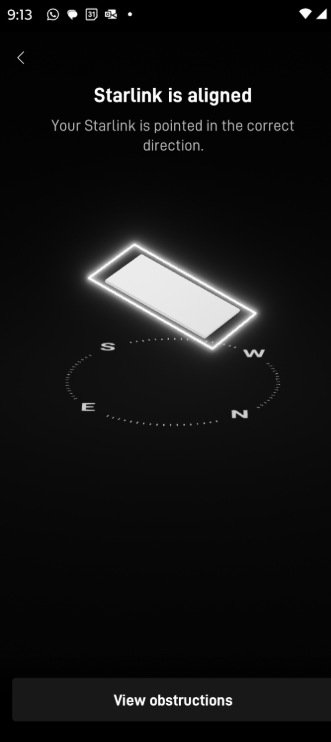
After completing the installation, our team performed a Starlink alignment test using the Starlink app to ensure the dish was properly oriented. As shown in the image, the system confirmed that the Starlink dish was precisely aligned and pointed in the correct direction. This step is essential to achieving a clear line of sight to the satellite network for consistent connectivity and maximum signal strength.
Next, the team conducted a Starlink speed test using the Starlink app. As shown in the image, the test measured key metrics including download speed, upload speed and latency. This confirms that the connection was active and performing efficiently.
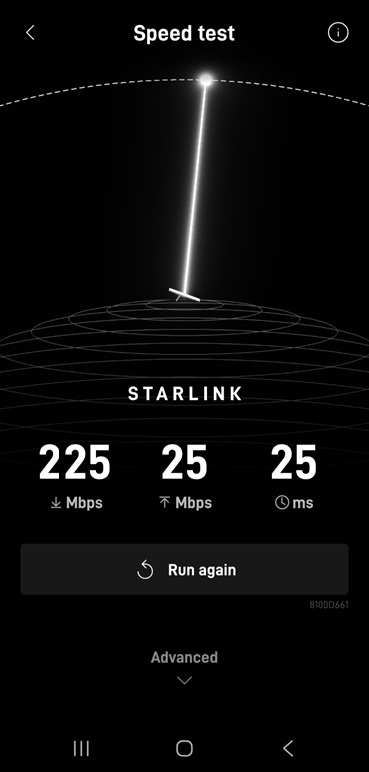
Note: Starlink may require up to 12 hours to fully optimize its connection. During this initial period, temporary speed fluctuations or brief dropouts may occur. However, once the system stabilizes, it delivers a reliable and high-speed internet connection.
Level Up Your Home and Business Connectivity with Professional Starlink Installation
👉 Call us at 1-844-799-0258 for your free consultation or fill out our Contact Us form.
ProSat Networks Service Areas near Palm Coast, Florida
- Anastasia Island, FL
- Andalusia, FL
- Armstrong, FL
- Bakersville, FL
- Beverly Beach, FL
- Bimini, FL
- Bulow, FL
- Bunnell, FL
- Butler Beach, FL
- Cody's Corner, FL
- Crescent Beach, FL
- Crescent City, FL
- Daytona Beach, FL
- Dupont, FL
- Dupont Center, FL
- East Palatka, FL
- Elkton, FL
- Espanola, FL
- Favoretta, FL
- Flagler Beach, FL
- Hammock Dunes, FL
- Hastings, FL
- Holly Hill, FL
- Korona, FL
- Lake Como, FL
- Marineland, FL
- Matanzas, FL
- Ocean Hammock, FL
- Ormond Beach, FL
- Ormond-by-the-Sea, FL
- Painters Hill, FL
- Palatka, FL
- Palatka, FL
- Pellicer, FL
- Pierson, FL
- Plantation Bay, FL
- Pomona Park, FL
- Princess Place, FL
- San Mateo, FL
- Satsuma, FL
- Seville, FL
- Shell Bluff, FL
- South Daytona, FL
- Spuds, FL
- St. Augustine, FL
- St. Augustine Beach, FL
- St. Augustine Shores, FL
- St. Johns Park, FL
- Summer Haven, FL
- The Hammock, FL
- Vermont Heights, FL
- Vilano Beach, FL
- Yelvington, FL
- and more, just ask.
🌴 Did You Know? Palm Coast, Florida
Palm Cost, Florida is one of the fastest-growing cities in the Sunshine State. The city features over 130 miles of interconnected trails and pathways, scenic freshwater canals, championship golf courses, and miles of nearby Atlantic beaches. Conveniently located between St. Augustine and Daytona Beach, Palm Coast offers a balance of coastal living, outdoor recreation, and a growing business community.
Thank you for reading our Starlink installation articles.